SPECIFICATIONS
Brand Name: NONE
Choice: yes
High-concerned chemical: none
Origin: Mainland China
Smart card type: Not Recorded
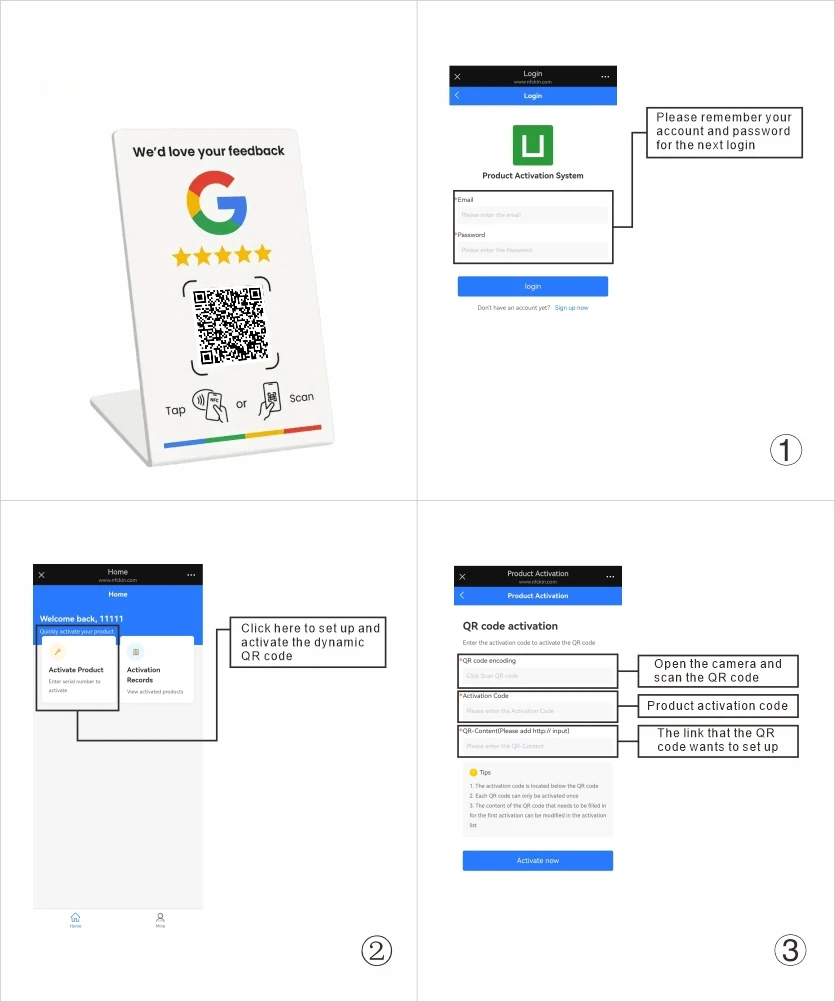
How to set or change the QR code link:
1. Open the phone camera, scan the QR code and enter the website (www.nfckin.com).
2. New users, please register an account and remember your account password (this will facilitate the management of your QR code).
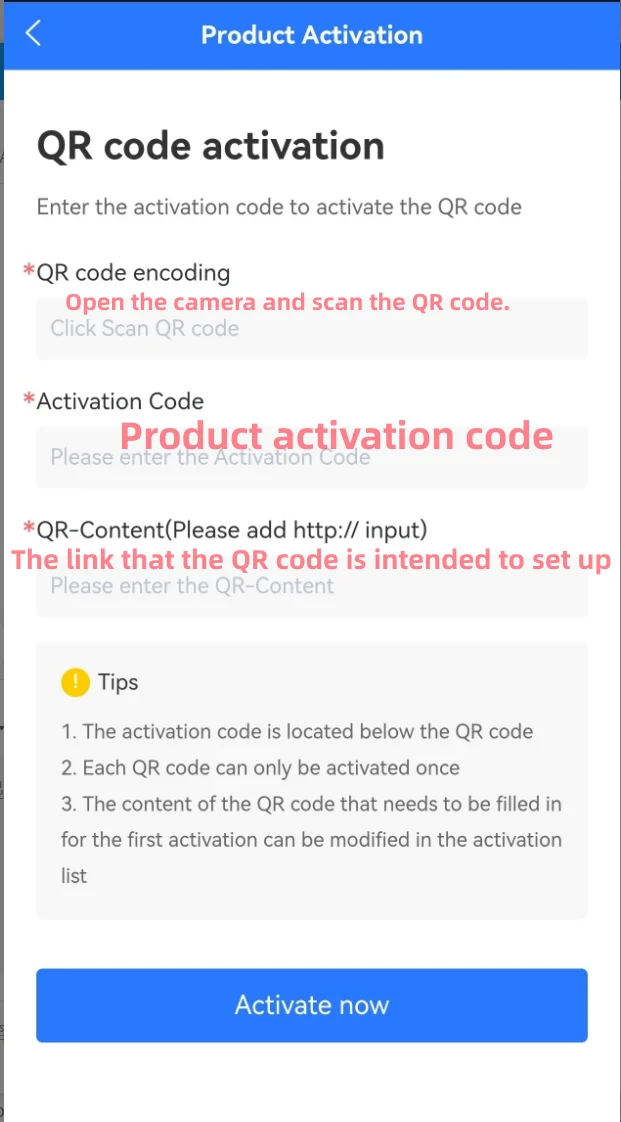
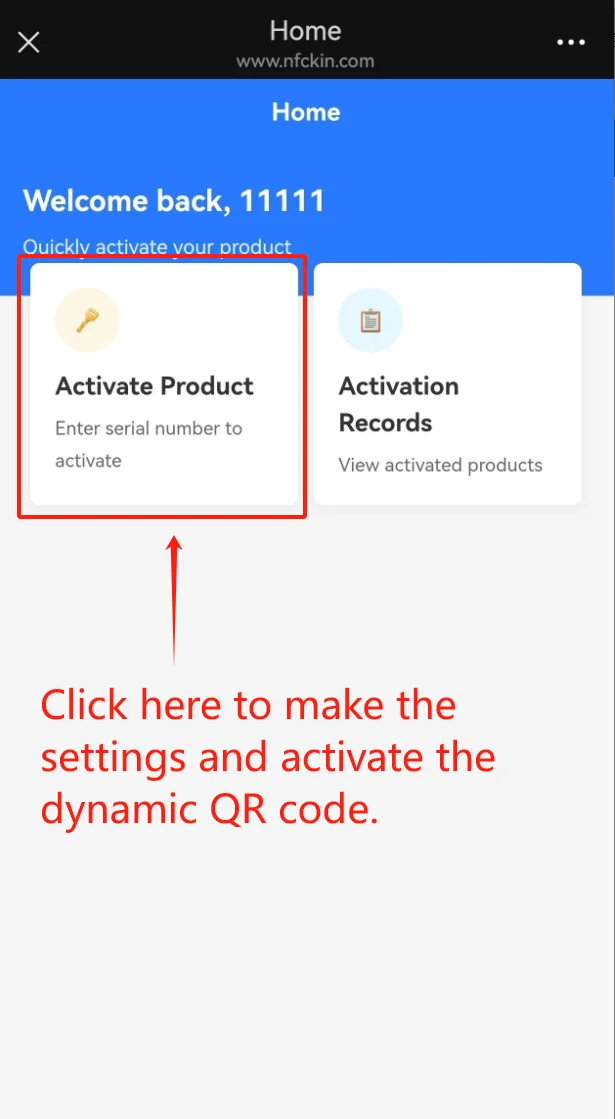
3. Click on "Activate Product" to enter the QR code activation page.
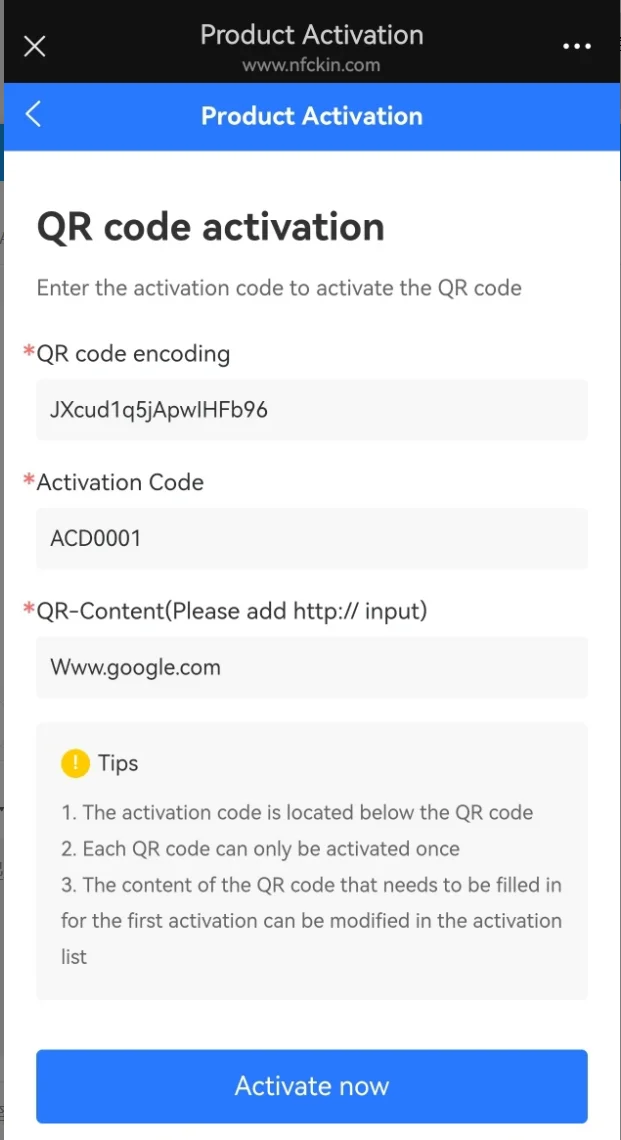
4. Open the phone camera and scan the QR code again (the website will automatically input the code of the QR code)
5. Enter the activation code corresponding to the QR code (consisting of letters and numbers, usually located at the bottom of the QR code or on the product itself)
6. Enter the link of the webpage you need to set up (please add "https://" before the website address, for example, https://www.nfckin.com)
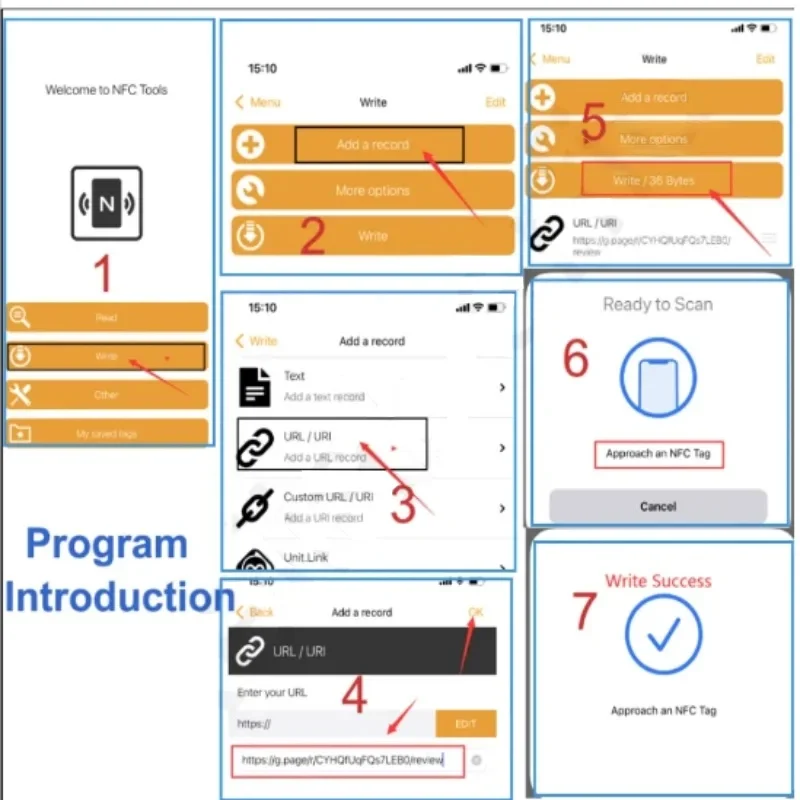
How to set up NFC website links:
1. Download the "NFC Tools" application from the Apple App Store or Google Play Store.
Apple App Store: https://apps.apple.com/us/app/nfc-tools/id1252962749
Google Play Store: https://play.google.com/store/apps/details? id=com.wakdev.wdnfc&hl=en_US&gl=US
2. After entering the application, click "write", then select "Add a record".
3. Select "URL/URI" to enter the settings interface. Enter the link of the webpage you want to set and then click the "OK" button on the top right corner.
4. Click on "writer /** bytes" (The ** symbol represents the number of bytes. Please note that this product uses the NTAG215 chip, and it only has 504 bytes.) 。
5. Place the card in the NFC sensing area of your mobile phone. The prompt "Write successful" indicates that your settings have been completed.
NOTE: The card shell has a film. It needs to be torn and used
Instructions about how to Write your google review link
1.Dowload "NFC tools" app in Apple store or Google Play Store
https://apps.apple.com/us/app/nfc-tools/id1252962749
https://play.google.com/store/apps/details?id=com.wakdev.wdnfc&hl=en_US&gl=US
Operating temperature: -40'C to +85'C